Adding Members to a Distribution List
See "What is Distribution List?"
Log in to the console, Click "Distribution List" on the dashboard menu, and select the distribution list you want to add a new member by clicking the "Gear Icon."

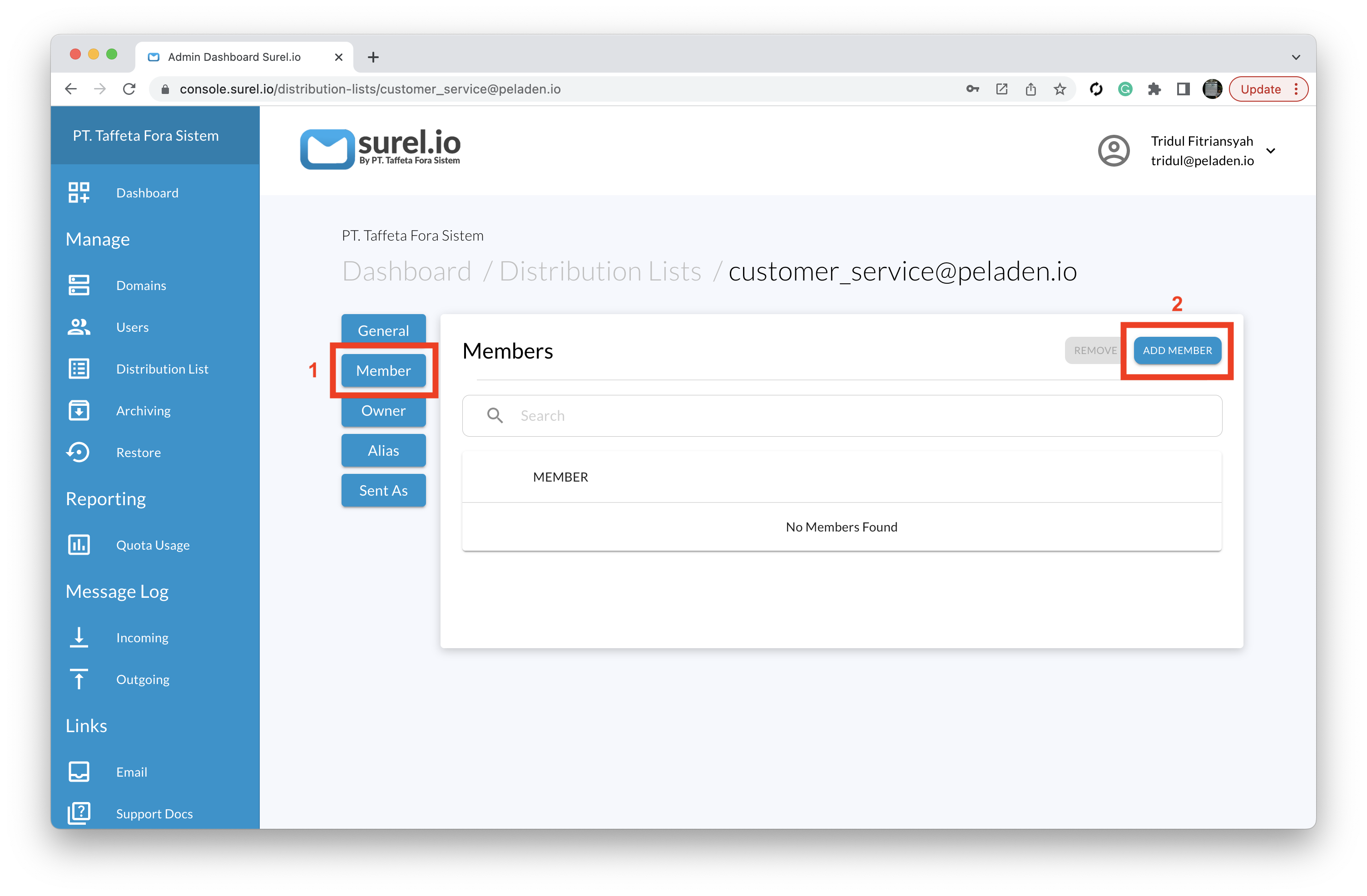
Click "Member" → "Add Member";
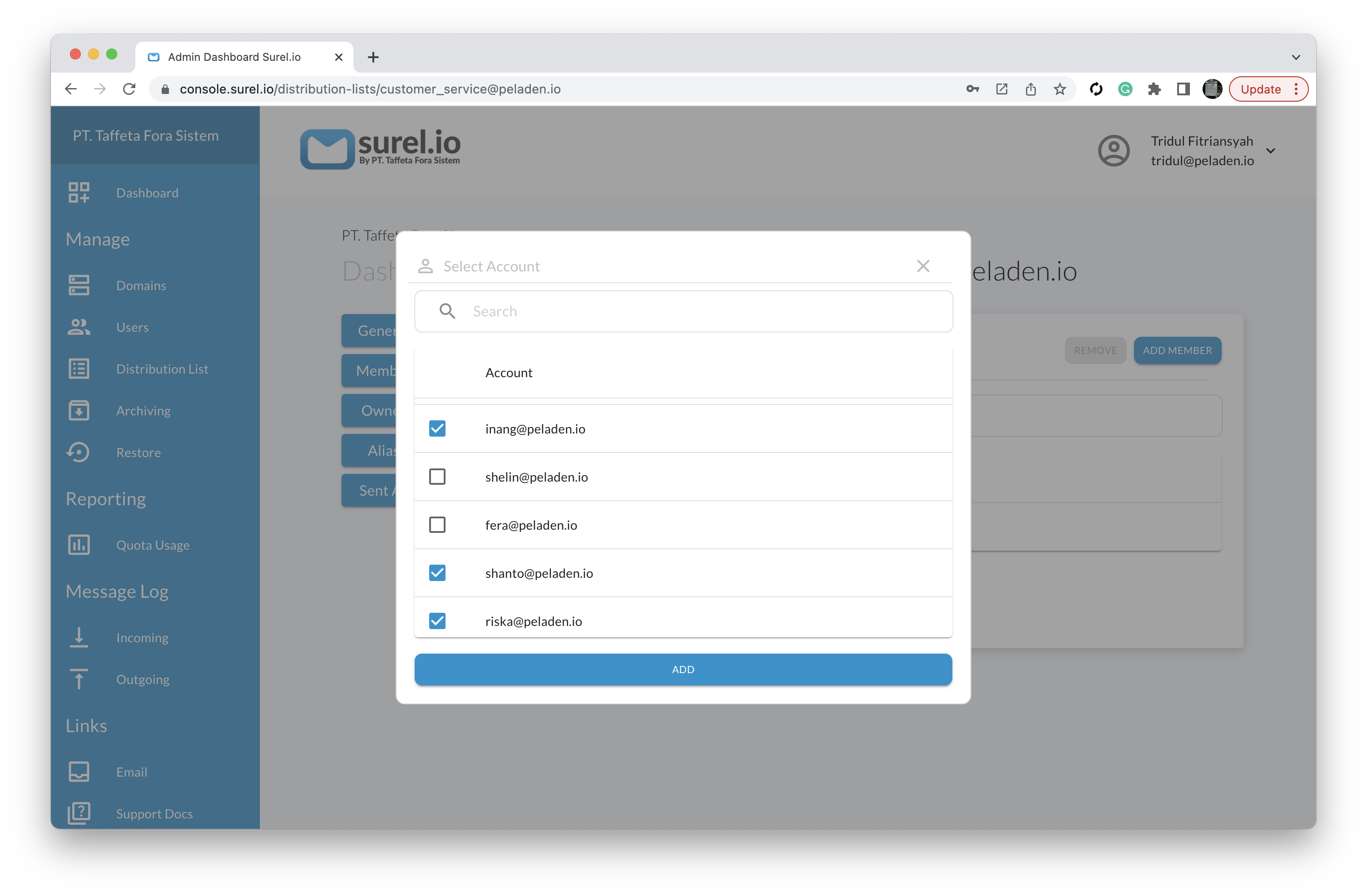
Select and check the users you want to add to a distribution list of members and click "ADD."

See summaries of how many accounts have been added to the distribution list on the distribution list dashboard

Do the test by sending an email to the distribution list and all members of the distribution list will receive the email.